VERIFIED TASK GUIDE
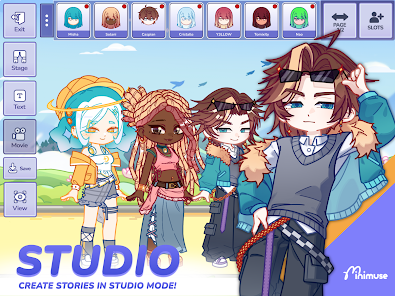
MiniMuse Studio Mode Guide Studio Mode is easiest when you build from back to front: background, characters, props, then dialogue and finishing details.
Build one readable scene Avoid filling every corner. Leave room around faces and dialogue.
Choose a background. Place the main character and set the pose. Add supporting characters or props. Arrange layers and lock finished objects. Add short dialogue or text, then save or export using the options in your version. A scene in the MiniMuse app. Imagery © Studio Sirenia; controls may vary by version. Create, repair and combine locally Upload your artwork to clean an edge, select a region or combine it with other pieces. Download a single PNG whenever it is ready, or keep building the complete picture.
Open Asset Studio  MiniMuse Tools