 MiniMuse Tools
A SMALL SEWING BREAK
What is Dressmaker?
A sewing game about choosing designs, cutting fabric and making dresses. Try the browser build above, then use the steps below whenever you need a hand.
Keep your game open: all the guidance stays on this page.
Start with the checklist ↓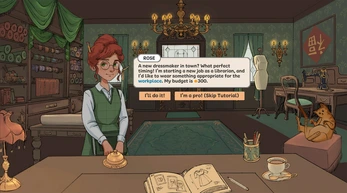 View original ↗
PLAY · CHECK · TRY AGAIN
How to play: your first dress
Read the brief, plan your fabric, then follow the game’s cutting and sewing prompts. Tick off your own steps without leaving the player’s page.
Your first-dress checklist
0 / 5 checkedA personal reminder while you play. Follow your build’s prompts; this list does not track or save game progress. It resets when you leave or reload this page.
HELP WHEN YOU NEED IT
From pattern to finished dress
Pick the stage you are working on. Open its notes for more detail, or jump straight back into the game.
Start with a simple silhouette
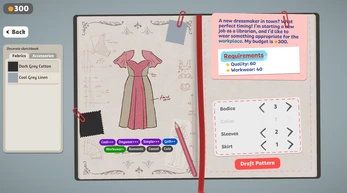
Choose one feature to focus on, then inspect the paper pieces before committing to a cut.
 View original ↗
Read patterns tips
A useful way to judge a dress pattern is to imagine it without decoration. Consider where the eye will go first: the neckline, the sleeves or the skirt. Choose one of those areas as the main feature, and let the rest support it. This is a design exercise you can use even when the prototype offers only a small selection of patterns. A limited set of shapes is enough to explore contrasting silhouettes without needing a large wardrobe or a complicated combination of accessories.
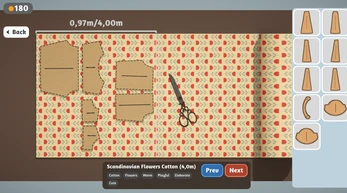
Before cutting, inspect how the visible pattern pieces occupy the fabric. Keep enough room around the pieces to understand their boundaries and avoid rushing into an arrangement you have not checked. If the game lets you move or rotate a piece, use the visible control and confirm the result before proceeding. Do not assume a particular keyboard shortcut from another version. When something goes wrong, work out whether the problem began with the layout or with the cutting action; the solution may be different.
Give the fabric one clear idea
Try a main fabric and one supporting color. These are styling suggestions, not hidden scoring rules.
 View original ↗
Read fabric tips
Try starting with a main fabric and one supporting color. A busy print already creates visual activity, so a quieter supporting area can make its pattern easier to appreciate. With a plain fabric, the interest can come from the silhouette or a contrasting detail instead. These are optional styling approaches, not hidden scoring rules. The game may have its own customer requirements; satisfy those visible requirements before treating your favorite color combination as the answer to an order.
Keep a note of combinations you want to revisit. Describe what you liked in simple terms, such as a pale base with a darker collar, instead of relying only on memory. For your own drawings outside the game, the MiniMuse color palette tool can extract colors from an image you choose. That is a separate image-editing workflow: it does not read the Dressmaker save, purchase in-game fabric or send a palette directly into the game. This distinction helps you use both experiences without expecting a connection that is not provided.
Follow the visible guides
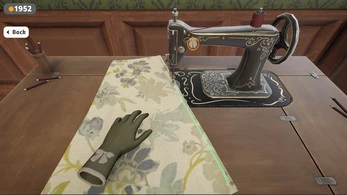
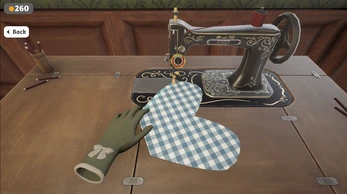
Complete one cutting or sewing action at a time. Enlarge the player if the outlines are hard to see.
 View original ↗
 View original ↗
Read cutting & sewing tips
At the cutting stage, make sure the tool you intend to use is selected and that you can see the relevant outline clearly. A larger game view can make precise pointer movement more comfortable. Focus on completing one visible action before moving on to another piece. If the result seems unexpected, pause and inspect the current task rather than repeatedly clicking different controls. Repeated inputs can make it harder to tell which action caused the change, especially while you are still learning an unfamiliar interface.
Use the same deliberate approach when sewing. Follow the guide displayed by the game, watch how your movement changes the result and adjust one thing at a time. It is more useful to learn how a single seam behaves than to rush through several attempts without understanding them. This page does not promise a perfect-quality trick or a universal timing rule. A video can help you observe the rhythm, but check whether the video shows the same edition as the one you are playing.
Compare one change at a time
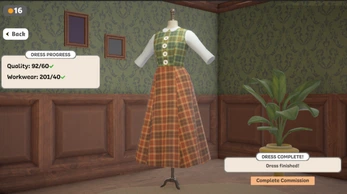
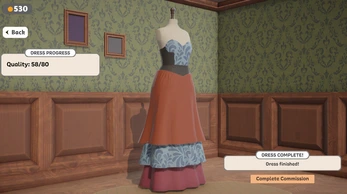
Keep the shape and change the fabric, or keep the palette and try a new silhouette.
 View original ↗
 View original ↗
Read review tips
Use your first finished dress as a baseline. On the next attempt, change the fabric but keep the shape similar, or keep the palette and explore a different silhouette. Comparing one deliberate change makes it easier to understand your preferences. You can also decide on a focal point before adding decoration. When every part competes for attention, the overall design can be harder to read; a quieter area gives a special collar, sleeve or trim room to stand out.
Do not confuse a rough experiment with a failed session. A choice that does not work can still reveal why you prefer another proportion or color relationship. Write down the detail you would change next time. If you move from the game into your own OC artwork, keep an untouched source file and save editable project backups while experimenting. The useful connection is a habit of comparing and revising designs, not an automatic conversion from a Dressmaker garment to a MiniMuse asset.
A CLOSER LOOK
Dressmaker outfit inspiration
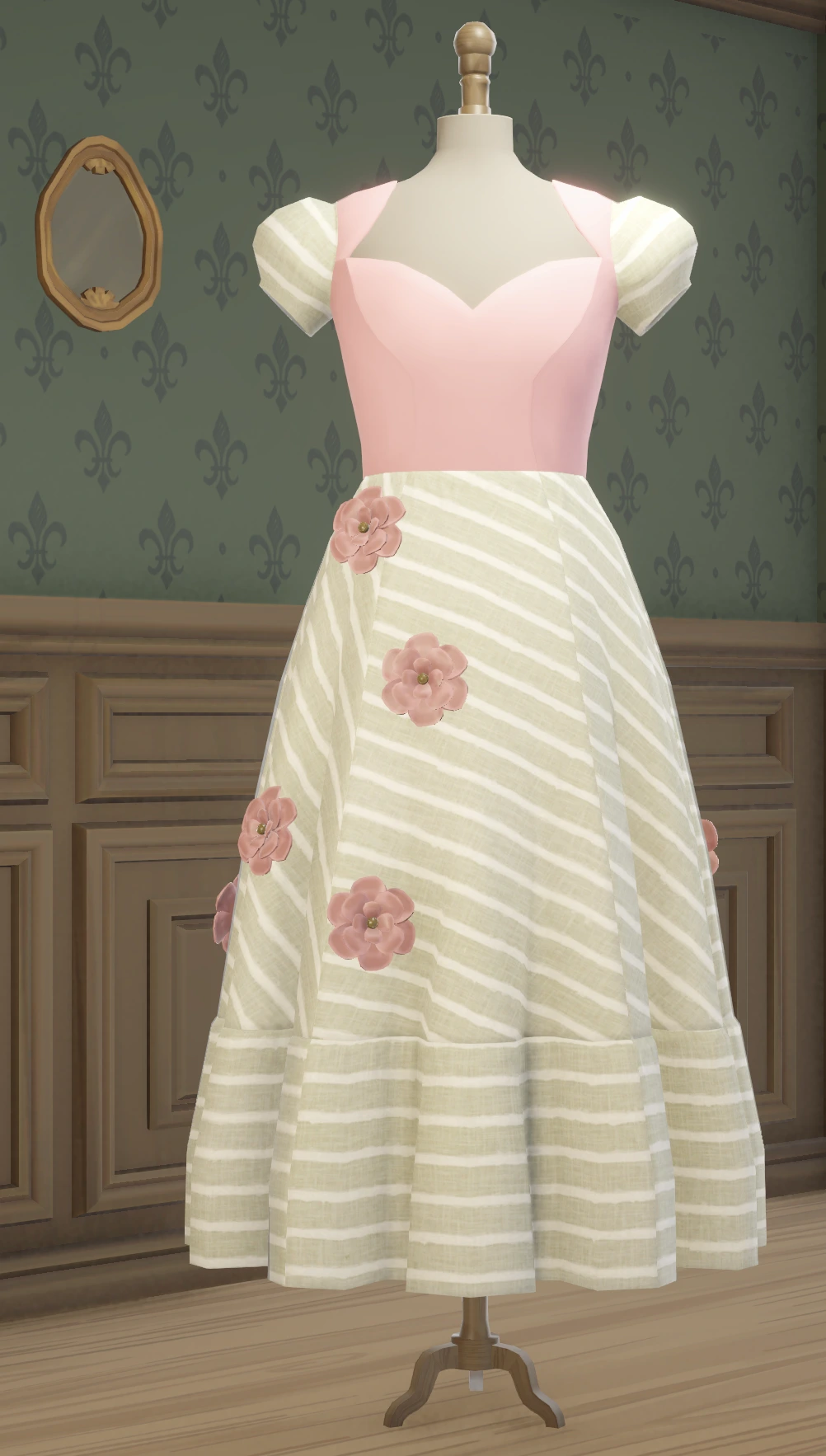
Compare the silhouette, fabric and finishing details in these three looks. Open an original image to see the details without leaving your game tab.
 View original ↗
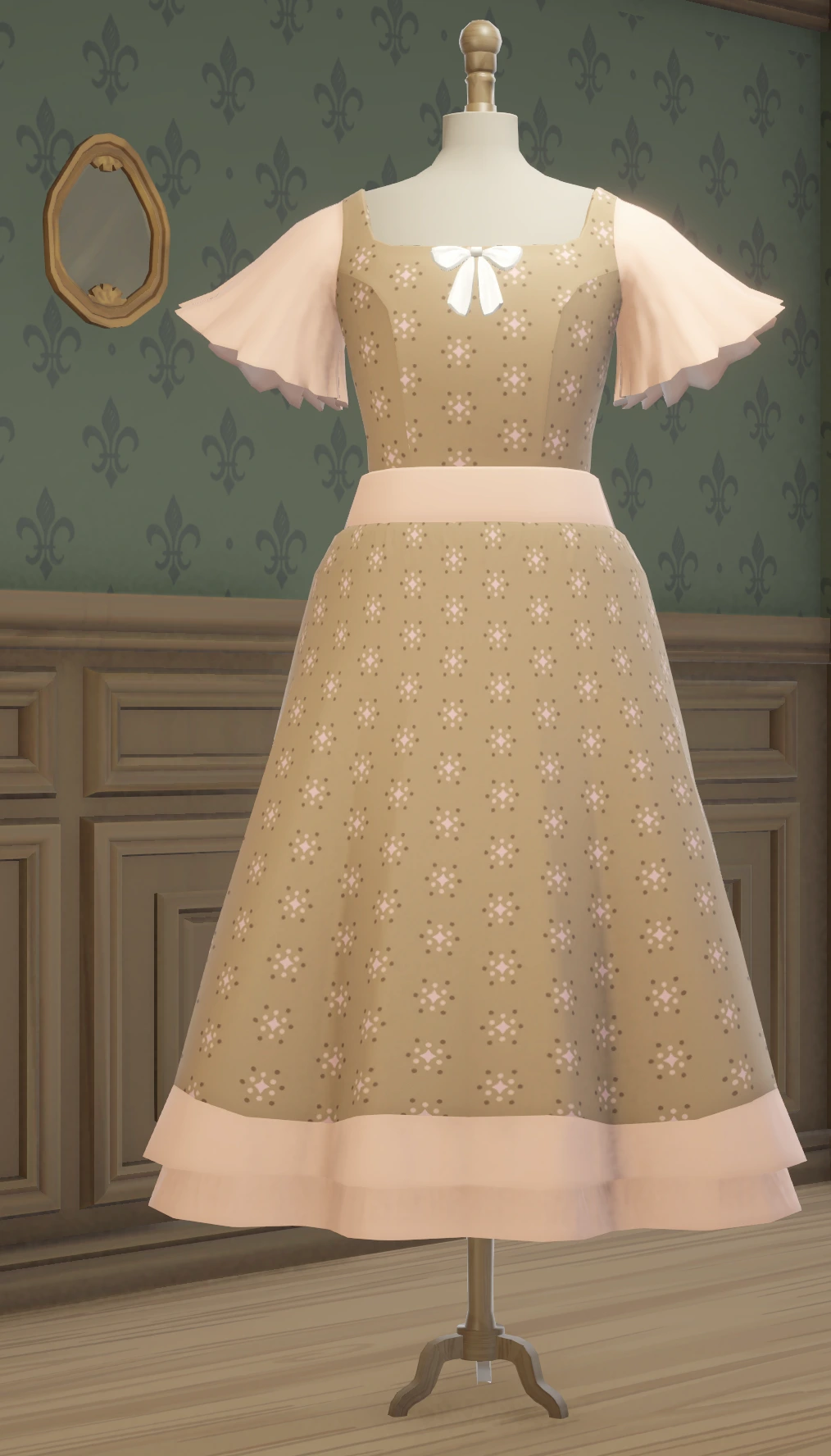 View original ↗
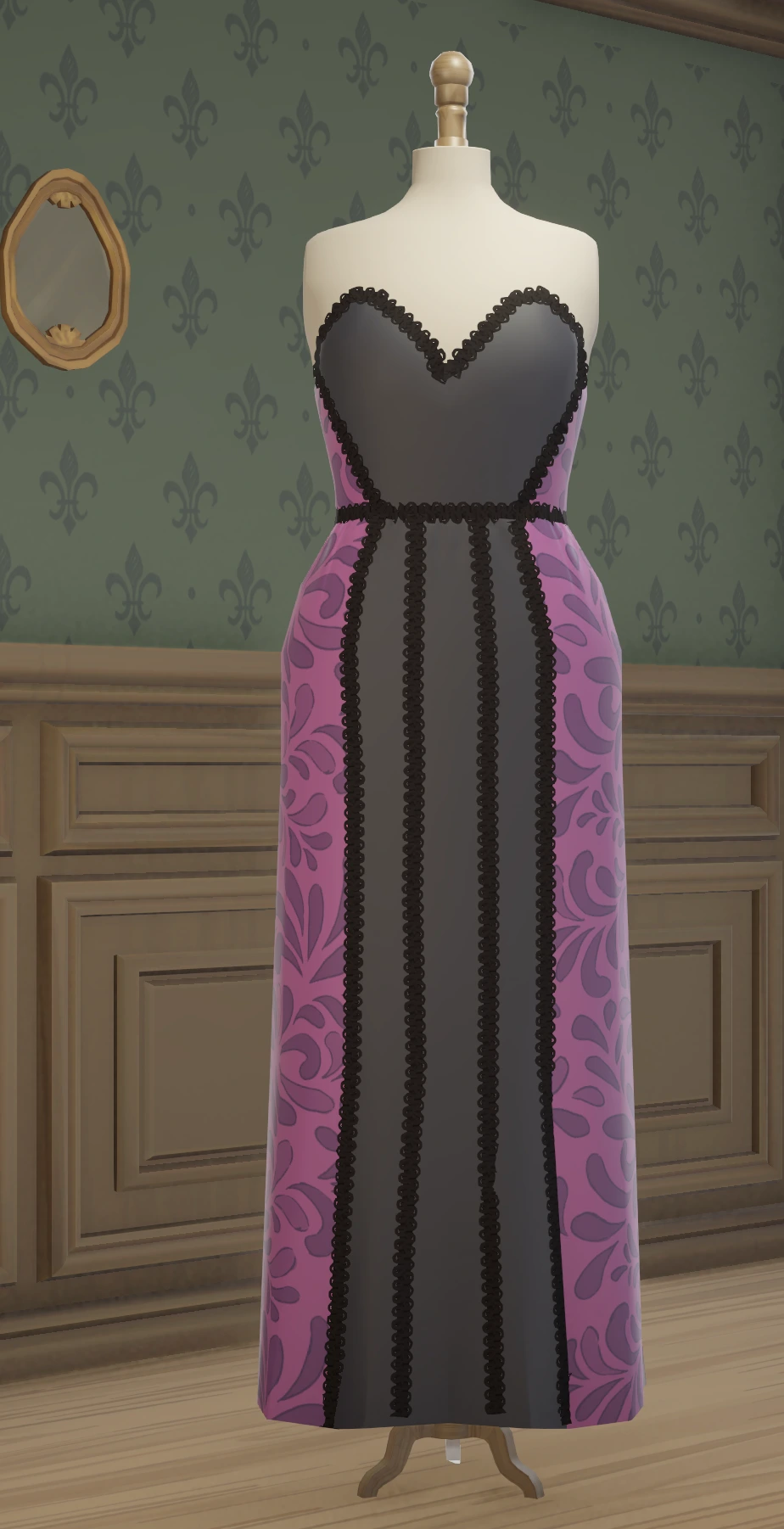 View original ↗
Controls, versions & loading help
Need a larger view, a download link or help getting started? Expand the relevant answer.
Dressmaker controls and a comfortable setup
Start with a mouse or a trackpad and use the prompts inside the game as your control reference. Click inside the player so your input reaches the game rather than the surrounding page. For precise work, a mouse may be more comfortable than touch input. The Fullscreen button enlarges the player when the browser supports it; otherwise, use Open game to try a separate tab. Opening a new tab starts a separate page and should not be treated as a transfer of your current session.
On a small screen, landscape orientation gives the work area more room. That does not guarantee complete mobile support: the embedded build is a Unity browser game, and device memory, graphics support and its own interface determine what works. If tools are difficult to reach or pointer movement is unreliable, try a larger device before assuming the task itself is impossible. Avoid refreshing merely to resize the page, because a reload may discard progress that the game has not saved.
Browser build, prototype and full game: know the difference
The embedded player, the creators’ downloadable prototype and the Steam edition should not be assumed to be interchangeable. The itch.io page identifies its release as a prototype and provides desktop downloads. The browser build supplied for this page is hosted on a separate domain; its Unity configuration alone is not enough to certify an official release version. Check the game itself and the official listings when you need exact information about content, supported platforms or purchase options.
Trying the player on this page does not require a MiniMuse Tools account or a purchase through this site. That does not mean the complete desktop game is free. Prices, availability and included content belong to the relevant store listing and can change. We do not supply an APK, a cracked installer or an unlock for the full game. If you want the official downloadable prototype, follow the creators’ itch.io link; for the Steam edition, follow its store link rather than treating the embedded build as a replacement.
If the browser game is slow or does not start
Press Play once and give the game time to download its own resources. The surrounding page can appear before the Unity loading process has finished. A message saying the frame opened is not a guarantee that the game is ready; use the game’s own screen as the signal. If loading stalls, try the direct game link, check your connection and close other memory-heavy tabs. Reload only when you are comfortable losing any progress that may not have been saved.
If the direct link works but the embedded player does not, the problem may involve browser restrictions or the game host’s embedding policy. If neither works, the host or game files may be unavailable. Report the browser, device and visible error rather than sharing private files. There is no need to download an unrelated installer to fix a browser loading problem. You can keep reading this guide or use the official download links while the browser version is unavailable.
WATCH THE PROCESS
Dressmaker gameplay videos
Observe how the game looks in motion, then try one small task yourself. These videos may show different builds; they are not a guarantee of identical browser features.
TAKE THE IDEA INTO YOUR OWN ART
Clothing ideas, MiniMuse editing tools
A color pairing or garment shape can inspire your next original drawing. Use these tools to prepare that artwork: choose a palette, refine a clothing image or combine separate pieces. They do not read or modify Dressmaker saves.
Dressmaker Game
Explore a sewing game, plan a dress and find a practical beginner guide.
Play & read guide →YOUR ARTWORKColor palette tool
Extract colors from your own image and copy a palette.
Explore tool →YOUR ARTWORKClothing editing guide
Select a garment region, recolor it and keep the original intact.
Explore tool →YOUR ARTWORKAsset Studio
Arrange your own layers and export a part or the whole composition.
Explore tool →Dressmaker game FAQ
Can I play Dressmaker online here?
Press Play to open the supplied browser build in the embedded player. It loads from an external game host. Whether it runs successfully depends on that host and your browser; the official desktop links remain available below.
Is the Dressmaker game free?
MiniMuse Tools does not charge to open this player. The official prototype and the full desktop edition have their own distribution terms. Check itch.io and Steam for current options rather than assuming every edition is free.
Is this the complete Steam game?
Do not treat this embedded build as the complete Steam edition. It is a separately hosted browser version, and we have not verified an exact match to an official release.
Where can I download Dressmaker?
Use the creators’ itch.io page for their prototype downloads and the official Steam listing for the desktop edition. MiniMuse Tools does not host desktop installers or mobile APK files.
Can I play on a phone?
You can try the browser player, preferably in landscape, but touch controls and performance are not guaranteed. A desktop browser with a mouse gives more room for cutting and sewing.
Will reloading keep my dress?
Do not assume it will. Saving belongs to the embedded game and its host, not to the MiniMuse Tools project system. Check the game’s own save controls before reloading or closing the tab.
Can I import a Dressmaker dress into MiniMuse?
This page does not provide a game-to-game export bridge. You can edit original or authorized clothing images in Asset Studio and export PNGs, but a Dressmaker save is not a supported MiniMuse asset or Studio project.
Does MiniMuse Tools provide a fabric planner?
There is no dedicated Dressmaker pattern or fabric simulator here yet. The linked palette and clothing tools work on your own images and can help you explore visual ideas separately from the game.
Why does the video look different from my game?
Videos may show a different build or stage of development. Use them to observe the general workflow, then follow the prompts and options actually present in your game.
Official Dressmaker sources
For game facts and downloads, go to the creators’ own pages. Reference pages checked September 24, 2026; the embedded game has not been certified as a particular official release.
- Creators’ itch.io page — prototype and desktop downloads ↗
- Official Steam listing — desktop edition ↗
- Free Lives press kit — game information ↗
Dressmaker and its game content belong to their respective creators. MiniMuse Tools provides this independent guide and a third-party player. Read our privacy policy for external embeds.